12 Profitable Digital Product Ideas for Beginners
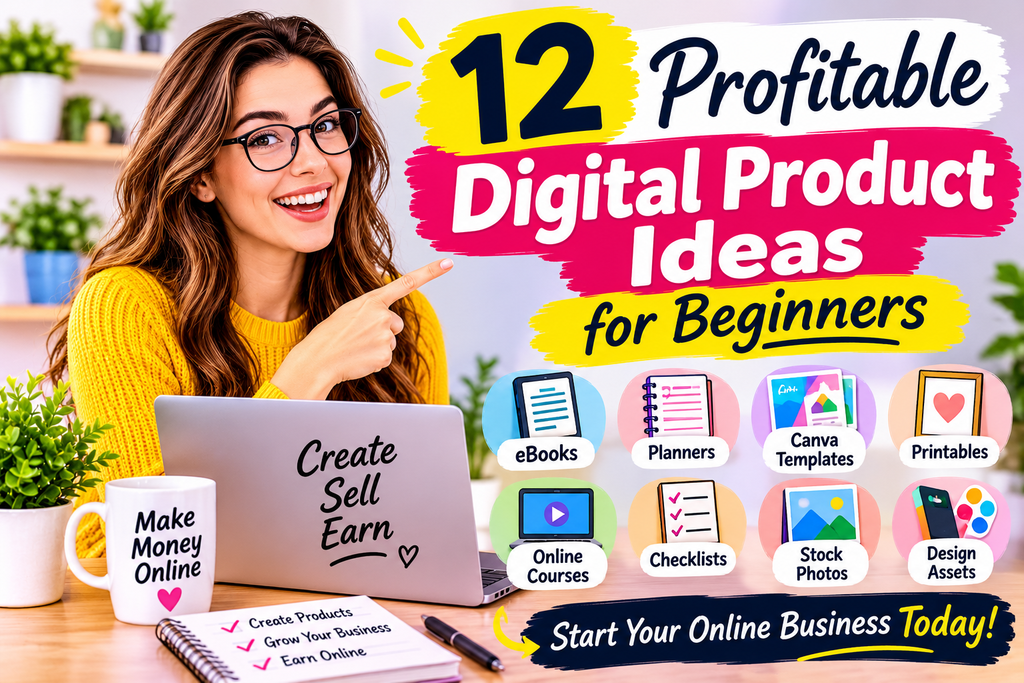
Low-cost products you can create once and sell again and again, plus how to pick, build, and launch your first one.
Digital products are one of the most beginner-friendly ways to start an online business. There’s no inventory to store, no shipping to manage, and no manufacturing costs. You create a product once, and you can sell it as many times as you like. A single well-made template, guide, or course can earn money for months or even years.
But which ideas are actually worth your time? This guide covers 12 beginner-friendly digital product ideas, what skills they require, where to sell them, and how to get started. Income varies widely and is never guaranteed. Success depends on your niche, product quality, marketing, and consistency.
Why Digital Products?
- Low startup costs: Many can be built with free or inexpensive tools.
- High potential margins: Once created, each additional sale costs you almost nothing.
- Scalable: You can sell to one customer or one thousand without extra production work.
- Flexible: Create from anywhere, and sell around the clock.
- Skill-building: Making products teaches you design, writing, marketing, and customer service.
The trade-offs: you’ll face competition, you need to market your products, and it can take time to see results.
12 Digital Product Ideas
1. Printable Planners and Organizers
Planners are consistently popular, from daily schedules to budget trackers, meal planners, habit trackers, and wedding checklists. They’re easy to design in tools like Canva and can be sold as PDF downloads.
- Skills needed: Basic design and layout.
- Where to sell: Etsy, Gumroad, your own website.
- Tip: Niche down. A planner for “nursing students” or “freelance photographers” tends to stand out more than a generic one.
2. Ebooks and Guides
If you know how to do something well, such as meal prepping, budgeting, learning a language, or training a dog, you can write a short, practical guide. Focused, actionable ebooks often sell better than lengthy ones.
- Skills needed: Writing and subject knowledge.
- Where to sell: Gumroad, Amazon Kindle Direct Publishing, Payhip, your own site.
- Tip: Solve one specific problem and promise a clear result.
3. Templates (Resumes, Social Media, Notion, Spreadsheets)
Templates save people time, which is why they sell. Examples include resume templates, Instagram post templates, Canva branding kits, Notion dashboards, Google Sheets budget trackers, and invoice templates.
- Skills needed: Design or spreadsheet skills, plus an understanding of what people need.
- Where to sell: Etsy, Creative Market, Gumroad, Notion template marketplaces.
- Tip: Make templates easy to edit, and include simple instructions.
4. Online Courses and Mini-Courses
A course teaches a skill through video, text, and exercises. For beginners, a short mini-course is a great starting point, since it’s quicker to create and easier to sell at a lower price.
- Skills needed: Teaching ability and subject expertise.
- Where to sell: Teachable, Thinkific, Udemy, Skillshare, or your own site.
- Tip: Test demand with a free lesson or a live workshop before building the full course.
5. Digital Art and Wall Prints
Illustrations, typography, abstract art, and nursery prints can be sold as downloadable files that customers print at home or at a print shop.
- Skills needed: Illustration or design skills.
- Where to sell: Etsy, Creative Market, your own shop.
- Tip: Offer multiple sizes and clear printing instructions. Make sure you own the rights to everything you use.
6. Stock Photos, Videos, and Graphics
Creators can sell photos, video clips, icons, patterns, and backgrounds that others use in their projects.
- Skills needed: Photography, videography, or design.
- Where to sell: Stock marketplaces and your own site.
- Tip: Think about what businesses and creators need, such as clean workspaces, lifestyle shots, and seasonal themes.
7. Presets, Filters, and Brushes
Photographers and designers often buy presets for editing apps, such as Lightroom, plus brushes for tools like Procreate.
- Skills needed: Strong editing or illustration skills with a recognizable style.
- Where to sell: Etsy, Gumroad, your own website.
- Tip: Show clear before-and-after examples.
8. Stickers and Digital Planner Assets
Digital planning has grown in popularity. Creators sell digital stickers, planners, and notebooks for apps like GoodNotes and Notability.
- Skills needed: Basic design using a tablet or design software.
- Where to sell: Etsy and your own store.
- Tip: Offer themed bundles and include setup instructions.
9. Fonts and Design Elements
If you enjoy typography or graphic design, you can create and sell fonts, logo kits, patterns, and icon sets.
- Skills needed: Design skills and software for font creation or graphic design.
- Where to sell: Creative Market, Etsy, Gumroad.
- Tip: Fonts take time and polish to do well, so consider simpler design assets first.
10. Worksheets and Educational Resources
Teachers, parents, and homeschoolers regularly look for worksheets, flashcards, lesson plans, and study guides.
- Skills needed: Subject knowledge and an understanding of learning needs.
- Where to sell: Teachers Pay Teachers, Etsy, your own site.
- Tip: Align resources with common curricula where appropriate, and follow each platform’s rules and copyright requirements.
11. Audio Products: Music, Sound Effects, and Meditations
Podcasters, video creators, and app developers need background music and sound effects. Guided meditations, sleep soundscapes, and affirmations also have an audience.
- Skills needed: Audio production or music creation.
- Where to sell: Audio marketplaces, Gumroad, your own site.
- Tip: Check licensing carefully, and avoid copyrighted material you don’t own.
12. Membership Communities and Subscription Content
A paid community, newsletter, or resource library can bring in recurring income. You might share weekly tips, templates, live Q&As, or exclusive content.
- Skills needed: Expertise, consistency, and community management.
- Where to sell: Patreon, Substack, Circle, Skool, or your own site.
- Tip: Start small and deliver steady value so members stay.
Quick Comparison
| Idea | Startup Cost | Difficulty | Time to Create |
|---|---|---|---|
| Printable planners | Low | Easy | Hours to days |
| Ebooks and guides | Low | Moderate | Days to weeks |
| Templates | Low | Easy to moderate | Hours to days |
| Mini-courses | Low to moderate | Moderate | Weeks |
| Digital art and prints | Low | Moderate | Days |
| Stock photos and graphics | Low | Moderate | Ongoing |
| Presets and brushes | Low | Moderate | Days |
| Digital stickers | Low | Easy to moderate | Days |
| Fonts and design assets | Low to moderate | Hard | Weeks |
| Worksheets | Low | Easy | Hours to days |
| Audio products | Moderate | Moderate to hard | Days to weeks |
| Memberships | Low | Moderate | Ongoing |
How to Choose the Right Idea
- Start with what you know. Consider your skills, interests, and experience.
- Look for demand. Search marketplaces, social media, and forums to see what people are already buying and asking for.
- Check the competition. Competition shows demand, but you need a way to stand out through niche, quality, or style.
- Solve a clear problem. The best products save time, money, or effort, or make life more enjoyable.
- Start simple. Choose something you can finish in a week or two, so you can learn from real customer feedback.
How to Create and Launch Your First Product
Step 1: Validate Your Idea
Before spending weeks creating, test interest. Share a sample on social media, ask your audience what they’d like, or create a simple waitlist. Even a few genuine responses can help.
Step 2: Build Your Product
Use beginner-friendly tools:
- Canva: Templates, planners, worksheets, and graphics.
- Google Docs and Sheets: Guides, trackers, and spreadsheets.
- Notion: Dashboards and templates.
- Procreate and Adobe tools: Illustrations and design assets.
- Screen recording tools: Course videos and tutorials.
Make sure your product looks clean and professional, and test it yourself or ask a friend to try it before launch.
Step 3: Choose Where to Sell
- Marketplaces (Etsy, Creative Market): Built-in traffic, but more competition and fees.
- Direct sales platforms (Gumroad, Payhip, Shopify): More control and a closer customer relationship, but you need to drive traffic.
- Your own website: Maximum flexibility, with more setup effort.
Many beginners start with a marketplace to learn, then expand later.
Step 4: Price It Sensibly
Check what similar products sell for. Many beginners start with lower prices to build reviews, then raise them as demand grows. Consider bundles, launch discounts, and tiered options.
Step 5: Write a Strong Listing
Your title, photos, and description do the selling. Include clear images or mockups, explain what’s included, mention file formats, and describe the benefits. Use relevant keywords naturally so customers can find you.
Step 6: Promote It
- Social media: Share tips, behind-the-scenes content, and previews.
- Pinterest: Especially good for printables, planners, and templates.
- Email list: Offer a free sample to build an audience.
- Content marketing: Blog posts or videos that solve problems related to your product.
- Collaborations: Partner with creators who share your audience.
Step 7: Collect Feedback and Improve
Ask customers for reviews, read their comments, and update your product. Improving based on real feedback is one of the fastest ways to grow.
Legal and Practical Basics
- Respect copyright. Only sell designs, images, fonts, and music you have the rights to use commercially. Check licenses on templates, fonts, and stock assets.
- Be honest in your listings. Describe exactly what customers receive, and avoid exaggerated income or result claims.
- Understand taxes. Income from digital product sales is usually taxable, and rules for sales tax or VAT on digital goods vary by country. Consider speaking with an accountant.
- Add simple terms. Clear policies on refunds and usage rights help avoid confusion.
- Protect customer data. Follow privacy rules in your region.
Common Mistakes to Avoid
- Creating before researching demand. A beautiful product no one wants won’t sell.
- Being too broad. Specific products for specific people tend to perform better.
- Ignoring quality. Typos, blurry images, and confusing files hurt trust.
- Skipping marketing. Even great products need promotion.
- Underpricing or overpricing. Research the market and adjust.
- Giving up too early. It can take time to gain traction.
Final Thoughts
Digital products can be a wonderful way to turn your skills and creativity into income, and you don’t need to be an expert to begin. Pick one idea that fits your strengths, make a simple version, put it in front of real people, and improve it based on what you learn.
Your first product probably won’t be perfect, and that’s fine. Each one teaches you what customers want, and each launch gets easier. Start small, stay consistent, and keep building.
This article is for general informational purposes only and does not constitute financial, legal, or tax advice. Earnings are not guaranteed and will vary.
Leave a Reply